> For the complete documentation index, see [llms.txt](https://support.onlogic.com/llms.txt). Markdown versions of documentation pages are available by appending `.md` to page URLs; this page is available as [Markdown](https://support.onlogic.com/product-documentation/components-and-expansion/power-supplies/lcm600q-a-600w-psu.md).
# LCM600Q-A (600W PSU)
Guide to assembling the LCM600Q-A Power Supply
## Assembling the LCM600Q-A Power Supply
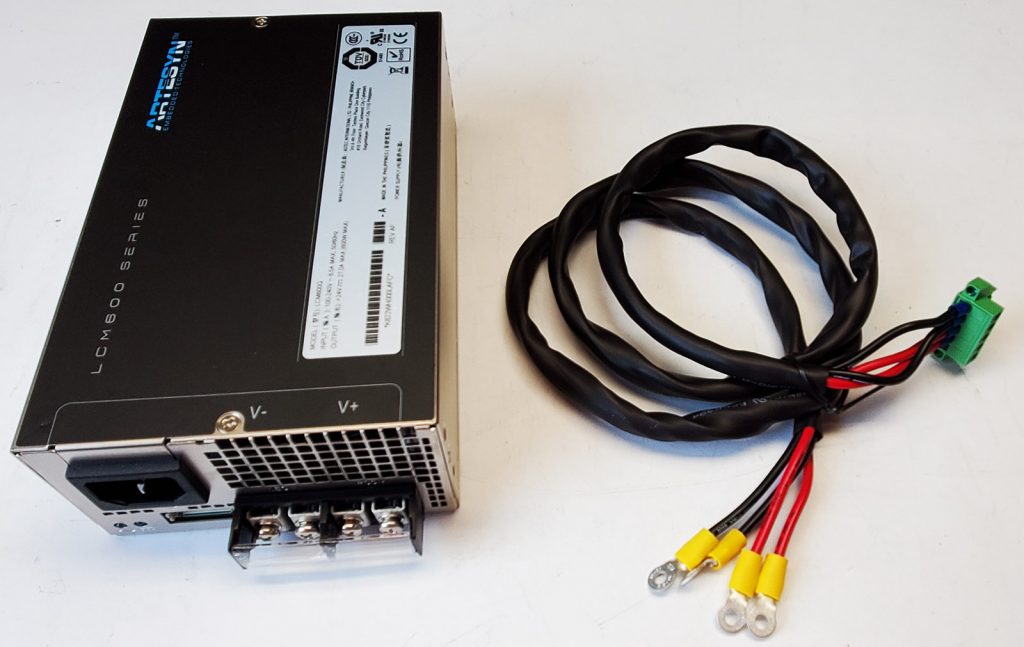
Use these instructions to help assemble the [LCM600Q-A](https://www.onlogic.com/store/lcm600q-a-k700-k/) power supply for use.
Part number LCM600Q-A
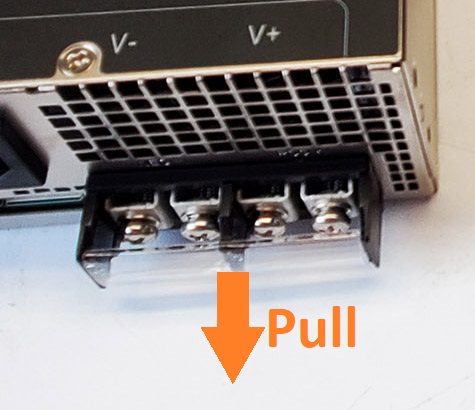
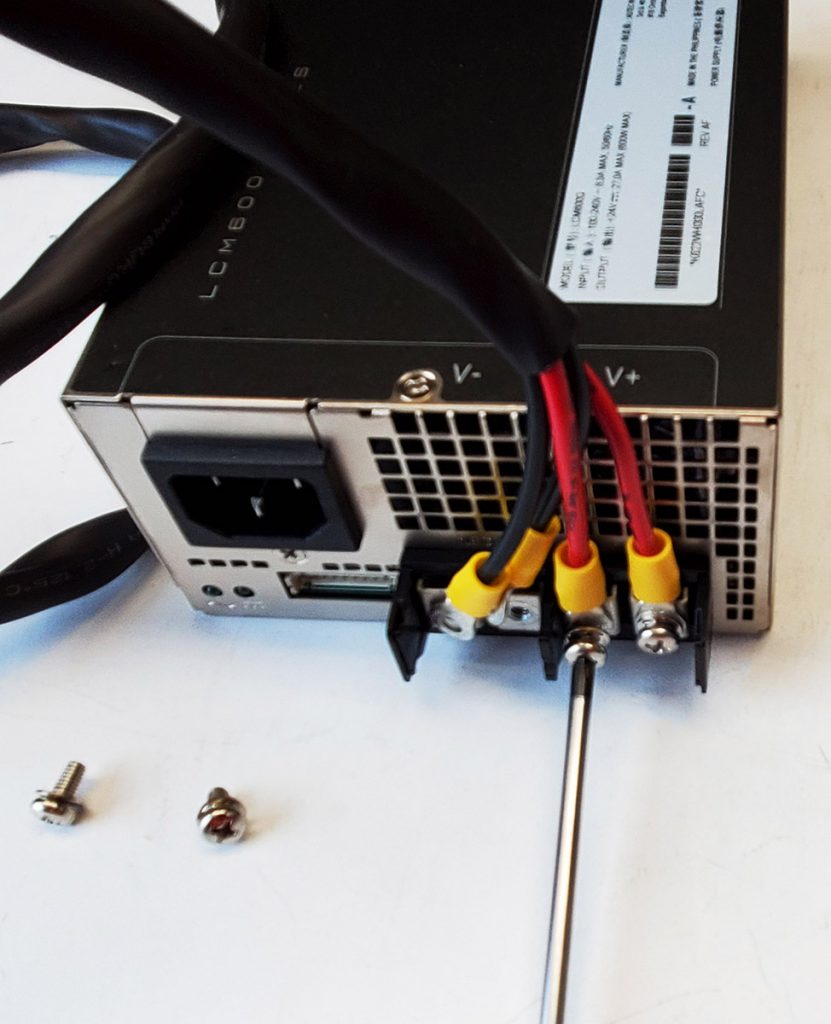
* Remove the protective plastic cover
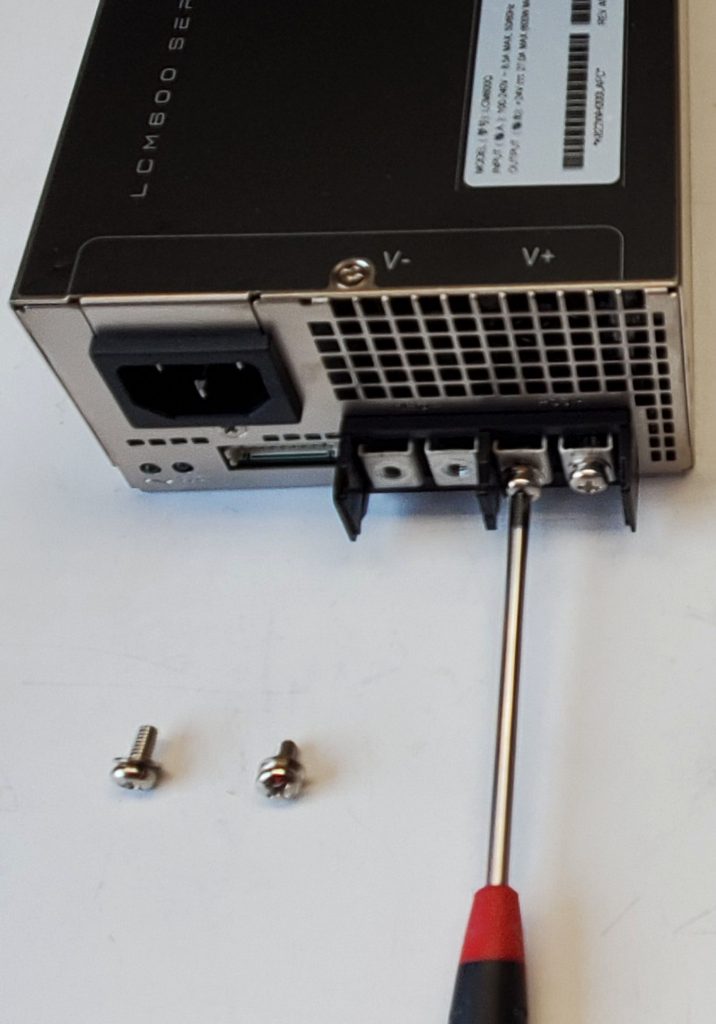
* Remove the 4x Phillips screws
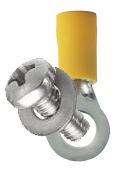
* Thread the screws removed in the previous step through the ring terminals
* Ensure the washer remains in place between the screw and terminal
* Reinstall the screws to attach the ring terminals to the power supply
* Firmly hand tighten
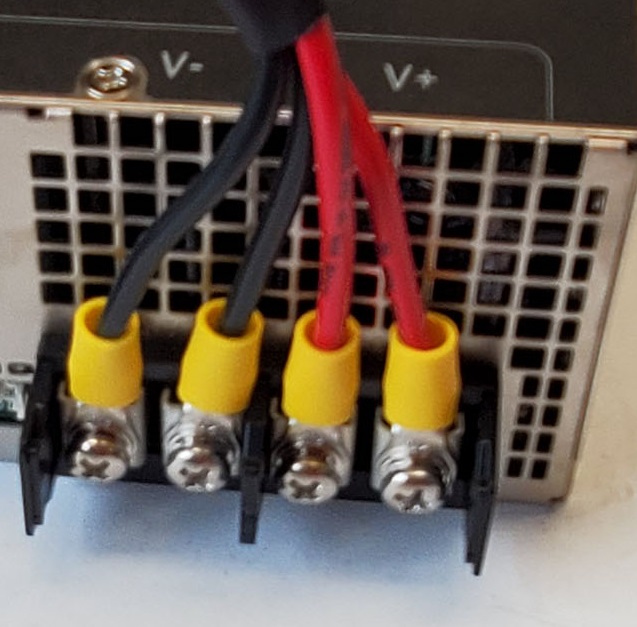
* Verify the wire colors are in the proper order as shown
* The black wires go under the V- label, the red wires go under V+
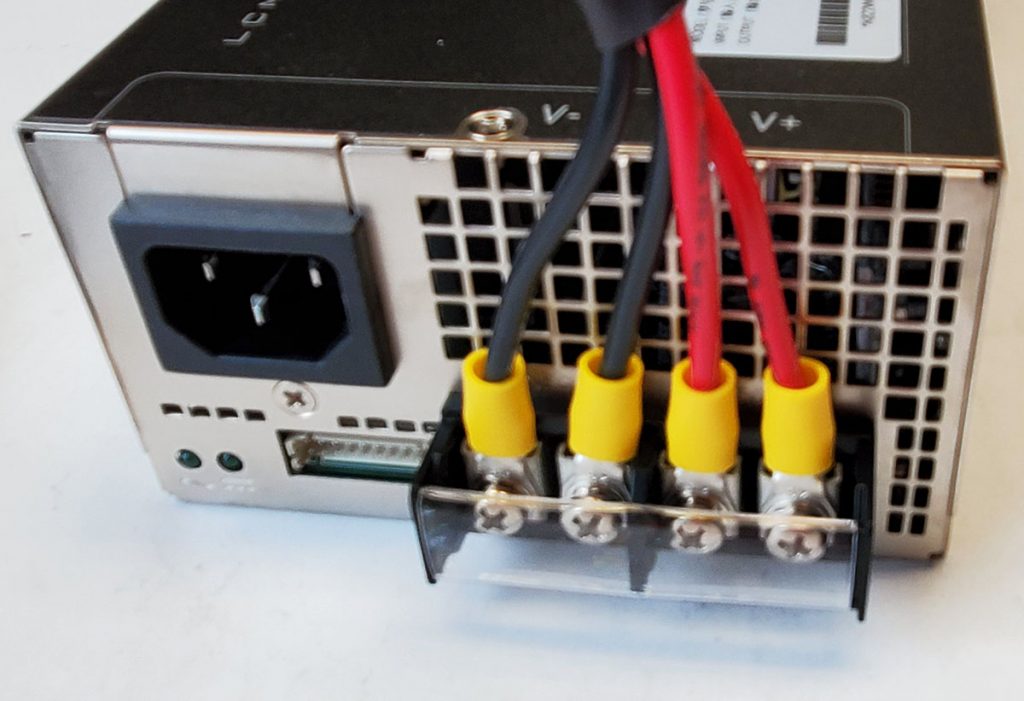
* Snap the plastic cover back into place
* The power supply is now ready for use