# Barrel Jack Zip Tie Use

## <mark style="color:blue;">Instructions:</mark>

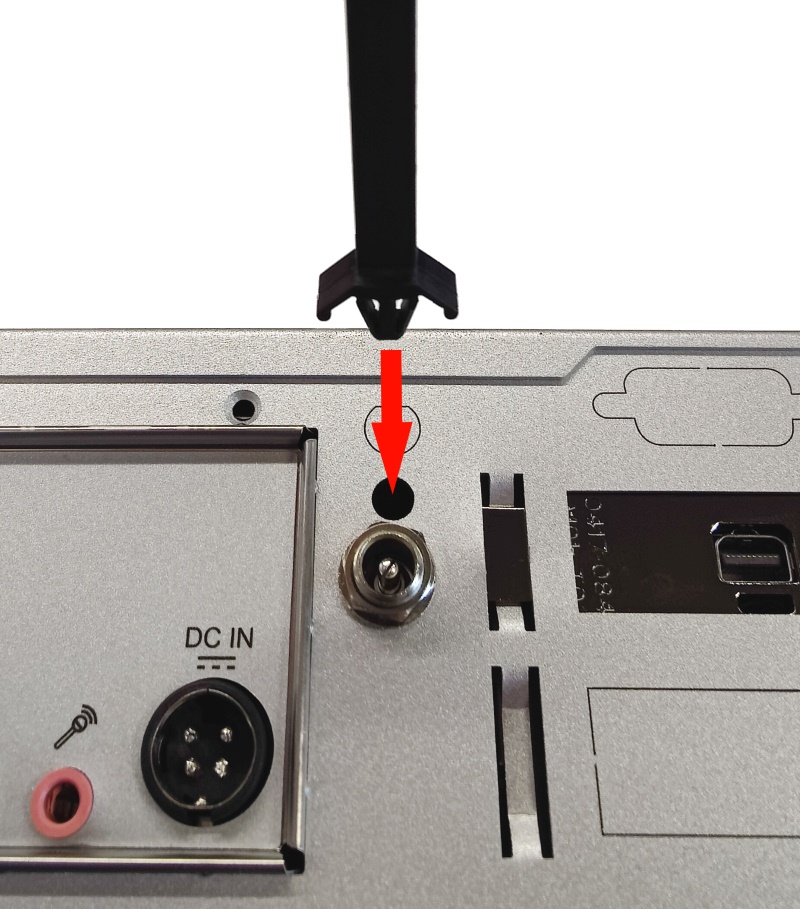
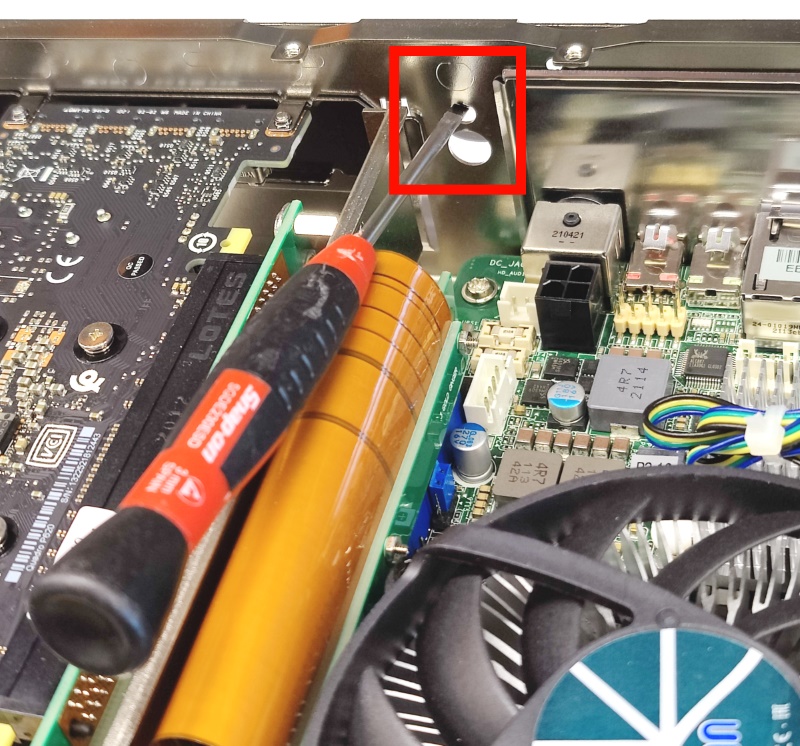
* **Prepare Knockout:** Use a screwdriver to push out the designated knockout (typically marked with a padlock symbol). Ensure the piece is removed from the system.

<figure><img src="https://3062424488-files.gitbook.io/~/files/v0/b/gitbook-x-prod.appspot.com/o/spaces%2FlLHqs7kbNoKOFTwGOfH6%2Fuploads%2Fgit-blob-71116e3466d601ba3a722688cbb7486b1c2a2d35%2F5838114fc26a3c7fcba3ee854a50bff26ef8d8734aaabc3e679de0611cb1ab82.png?alt=media" alt="" width="375"><figcaption></figcaption></figure>

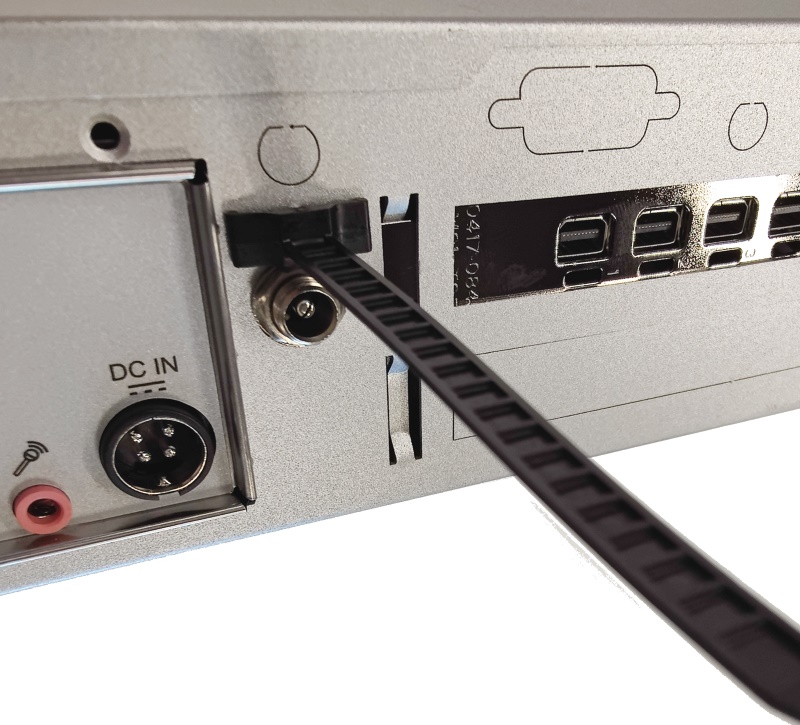
* **Insert Zip Tie:** Push the retaining zip tie (from accessory kit) into the hole, ribbed side facing upward.

<figure><img src="https://3062424488-files.gitbook.io/~/files/v0/b/gitbook-x-prod.appspot.com/o/spaces%2FlLHqs7kbNoKOFTwGOfH6%2Fuploads%2Fgit-blob-e5d2acee740909385b743c119a43b7f91cbbc6ef%2F88da68d81eb32b9ccbc98b1b77817b1fc815d5ef4f83e6cf646282263a621bd2.png?alt=media" alt="" width="375"><figcaption></figcaption></figure>

<figure><img src="https://3062424488-files.gitbook.io/~/files/v0/b/gitbook-x-prod.appspot.com/o/spaces%2FlLHqs7kbNoKOFTwGOfH6%2Fuploads%2Fgit-blob-ef68af964a5c93ea0e01422df2a83756c7331f6c%2F216f2f7e8ae17d686fc3784326bbfe60b17f27340575df74d72dfba7e270a8ca.png?alt=media" alt="" width="375"><figcaption></figcaption></figure>

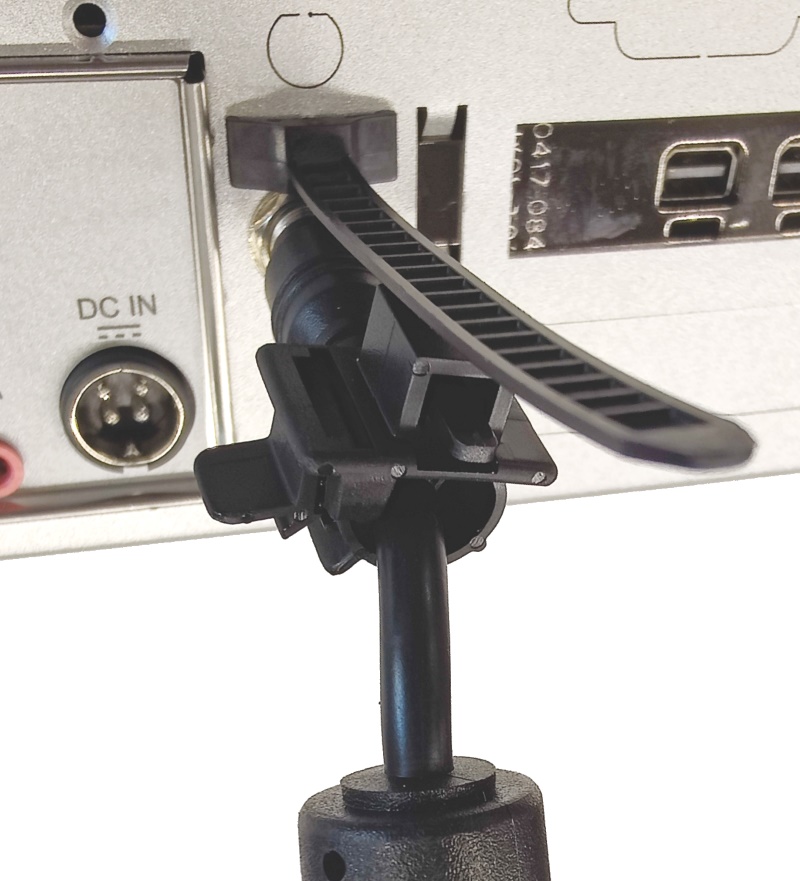
* **Attach Clip:** Attach the clip to the power supply's cable.

<figure><img src="https://3062424488-files.gitbook.io/~/files/v0/b/gitbook-x-prod.appspot.com/o/spaces%2FlLHqs7kbNoKOFTwGOfH6%2Fuploads%2Fgit-blob-1a158ceaf36e5445d465dcb2cdca4706000555e6%2F6ce388cf8ab4a2d3426f3668ffa92c480a2e7ff24af1dbd4ec6d6f3b9abf1559.png?alt=media" alt="" width="375"><figcaption></figcaption></figure>

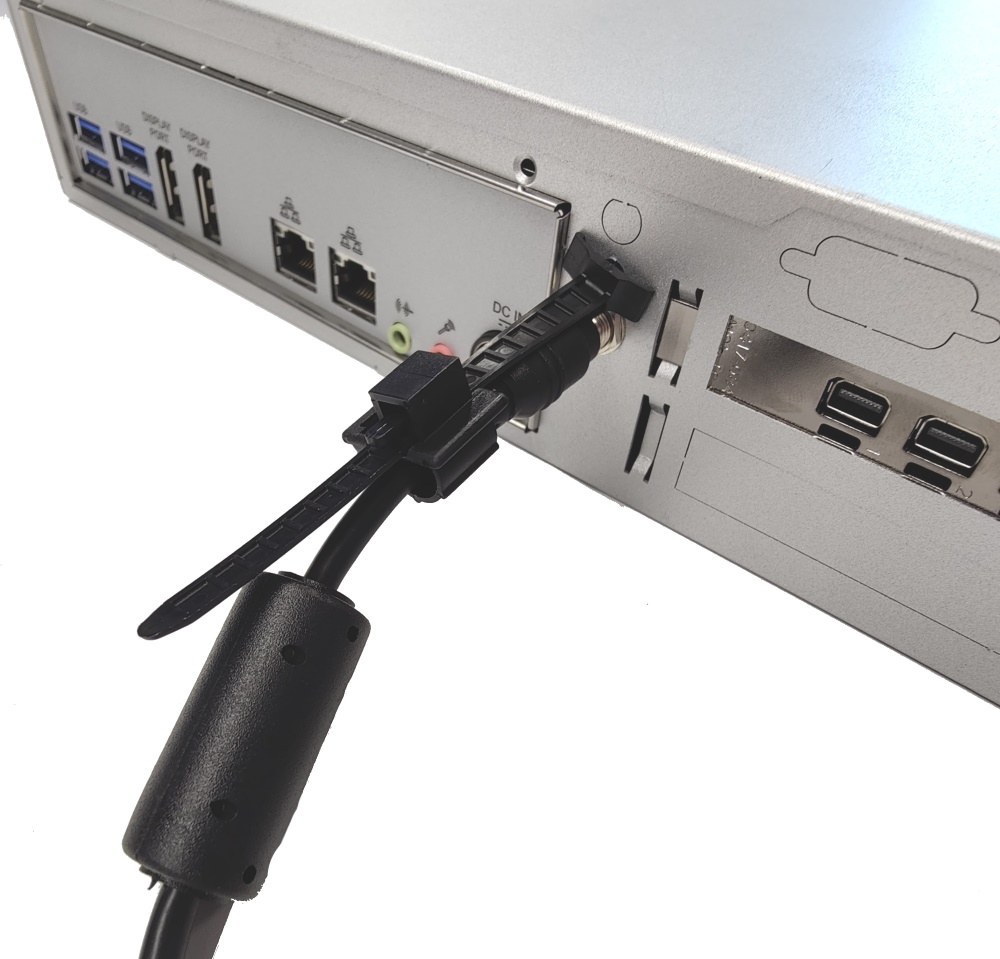
* **Secure Cable:** Thread the zip tie through the clip's hole and snug it into place.
<figure><img src="https://3062424488-files.gitbook.io/~/files/v0/b/gitbook-x-prod.appspot.com/o/spaces%2FlLHqs7kbNoKOFTwGOfH6%2Fuploads%2Fgit-blob-7f3de6a30b03557679edaf6aa50662932841ce7e%2F5a21ba8f4e24b06912e4118843f4f387109a9e1898fe06bcdc0bba9db3781576.png?alt=media" alt="" width="375"><figcaption></figcaption></figure>