> For the complete documentation index, see [llms.txt](https://support.onlogic.com/llms.txt). Markdown versions of documentation pages are available by appending `.md` to page URLs; this page is available as [Markdown](https://support.onlogic.com/support-articles/how-tos/more/onlogic-warranty-repair-process.md).
# OnLogic Warranty Repair Process
This guide outlines the steps for returning your OnLogic system for warranty repair.
## 1. Initiate Support Request
Contact our Technical Support team via phone or email, providing your system's serial number (starts with U or E, followed by 6 digits) and details of the issue. We may offer remote troubleshooting or ask for more information.
* United States:
* (802) 861 – 2300
*
* The Netherlands:
* +31 88 5200 702
*
## 2. System Return (RMA)
If a return is necessary, we will issue an RMA number and shipping details. An RMA number is required for all returns. Customers are responsible for shipping costs and bear the risk of loss for returned items.
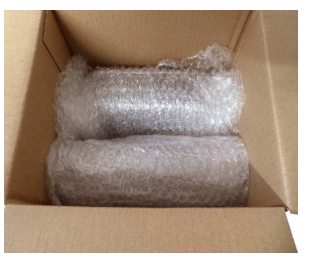
* Packaging: Original packaging is ideal (required for refunds). Otherwise, use your own packaging, ensuring at least 2 inches of padding on all sides. Avoid airbags and packing peanuts. Place bare components (e.g., motherboards, RAM) in static-safe bags.
## 3. Repair & Diagnostics
Upon arrival at OnLogic, repairs are typically completed within 5 business days.
We will:
1. Attempt to reproduce the reported issue.
2. Use diagnostic tools to identify the root cause.
3. Replace faulty hardware (if applicable) and re-test.
* *Note: The HDD/SSD may be erased during troubleshooting.*
4. Perform the same thorough production test run on new units to ensure full functionality.
## 4. Repair Summary & Return
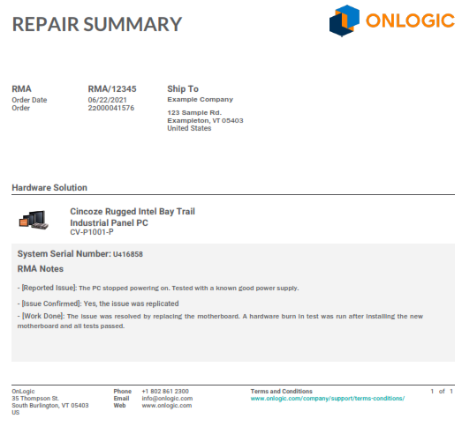
A repair summary detailing our findings and the repairs made will be sent to you and enclosed with the returned system.
* *Failed components are tracked internally for quality improvement and supplier follow-up.*