# Exporting Windows Event Logs

The Windows Event Logs contain a variety of information that can help diagnose crashes and other issues. In some instances, it is helpful to send us a copy of the logs so that we can examine them. This article covers how to do so.

<figure><img src="https://3062424488-files.gitbook.io/~/files/v0/b/gitbook-x-prod.appspot.com/o/spaces%2FlLHqs7kbNoKOFTwGOfH6%2Fuploads%2Fgit-blob-424db9085b46570c46570ad40ee9a7fa8e92122a%2F85e2778a37f73675853455cda8e546b8561d4326b8081456b95397b53412a8d7.png?alt=media" alt="" height="72" width="349"><figcaption></figcaption></figure>

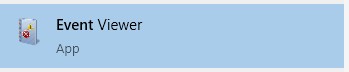
* Type “event” into the start menu
* Open the Event Viewer

<figure><img src="https://3062424488-files.gitbook.io/~/files/v0/b/gitbook-x-prod.appspot.com/o/spaces%2FlLHqs7kbNoKOFTwGOfH6%2Fuploads%2Fgit-blob-047ea2a1fb3c3f913951919ab9aba170a429bed2%2F9bba83abd58e45c16c2e021da04873cd4ed147201b031b5fb6025b66a68a9552.png?alt=media" alt="" height="508" width="344"><figcaption></figcaption></figure>

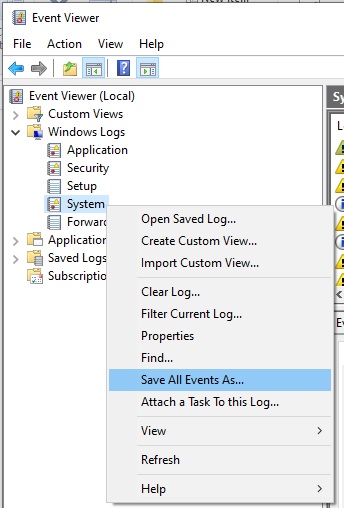
* Expand the “Windows Logs” section
* Right click on “System” and choose “Save all Events As…”

<figure><img src="https://3062424488-files.gitbook.io/~/files/v0/b/gitbook-x-prod.appspot.com/o/spaces%2FlLHqs7kbNoKOFTwGOfH6%2Fuploads%2Fgit-blob-b8fd9112335d757222d32d04aeb795c459be4d9d%2F0772b6c14292240616a4b67f6b7a69b65aefe4a8095ca545618efbfd79395952.png?alt=media" alt="" height="365" width="702"><figcaption></figcaption></figure>

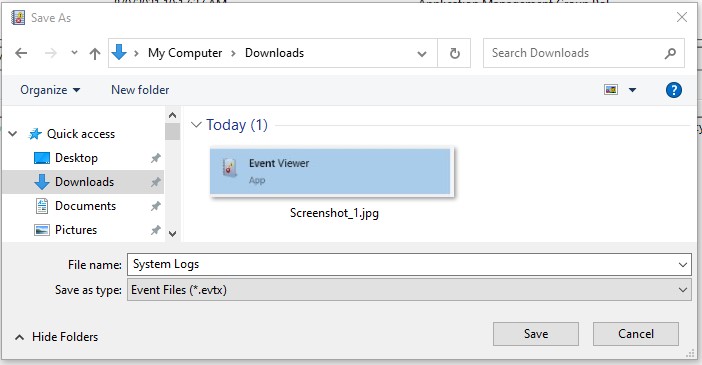
* Enter a file name and save the file somewhere you can find it, such as the downloads folder.

<figure><img src="https://3062424488-files.gitbook.io/~/files/v0/b/gitbook-x-prod.appspot.com/o/spaces%2FlLHqs7kbNoKOFTwGOfH6%2Fuploads%2Fgit-blob-0e283459a73d01fb4425dc6fc0cac196cabc5273%2Fabc5e9da8b23b0692024c8494fac02161a7aec51b98f97305033a2934c9b21bf.png?alt=media" alt="" height="399" width="358"><figcaption></figcaption></figure>

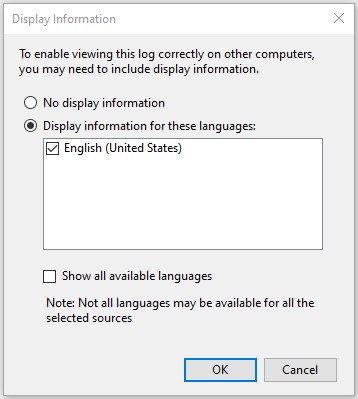
* **Important –** Be sure to select display information and check the English box. Without this, much of the log will be missing data.
* Click OK. The export will take 5-30 seconds.

<figure><img src="https://3062424488-files.gitbook.io/~/files/v0/b/gitbook-x-prod.appspot.com/o/spaces%2FlLHqs7kbNoKOFTwGOfH6%2Fuploads%2Fgit-blob-290114f62a5f4c53b58ae47ba3b2246102218b42%2F26fd6a66832fb4817e727fdc77f28ce893bd6d8b39948ca5a11bd0130ae48974.png?alt=media" alt="" height="415" width="668"><figcaption></figcaption></figure>

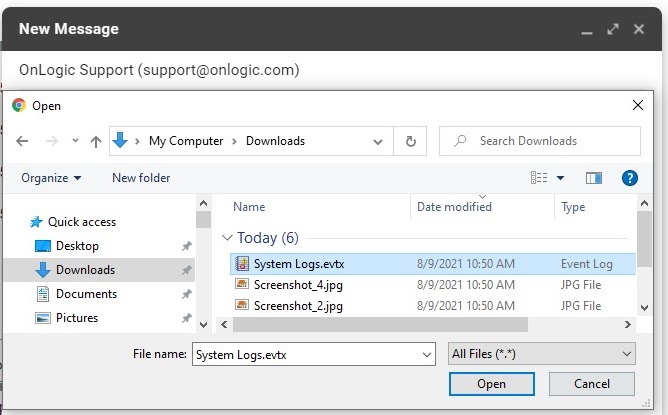
* Attach the log files to an email and send them to us for analysis. Be sure to note the ticket number if we provided one, or your serial number if this is a newly reported issue.
---

# Agent Instructions: Querying This Documentation

If you need additional information that is not directly available in this page, you can query the documentation dynamically by asking a question.

Perform an HTTP GET request on the current page URL with the `ask` query parameter:

```
GET https://support.onlogic.com/support-articles/how-tos/operating-systems/windows/exporting-windows-event-logs.md?ask=<question>
```

The question should be specific, self-contained, and written in natural language.
The response will contain a direct answer to the question and relevant excerpts and sources from the documentation.

Use this mechanism when the answer is not explicitly present in the current page, you need clarification or additional context, or you want to retrieve related documentation sections.